Question Range Slider
A new template so users can choose answers based on a range scale - Related Card here
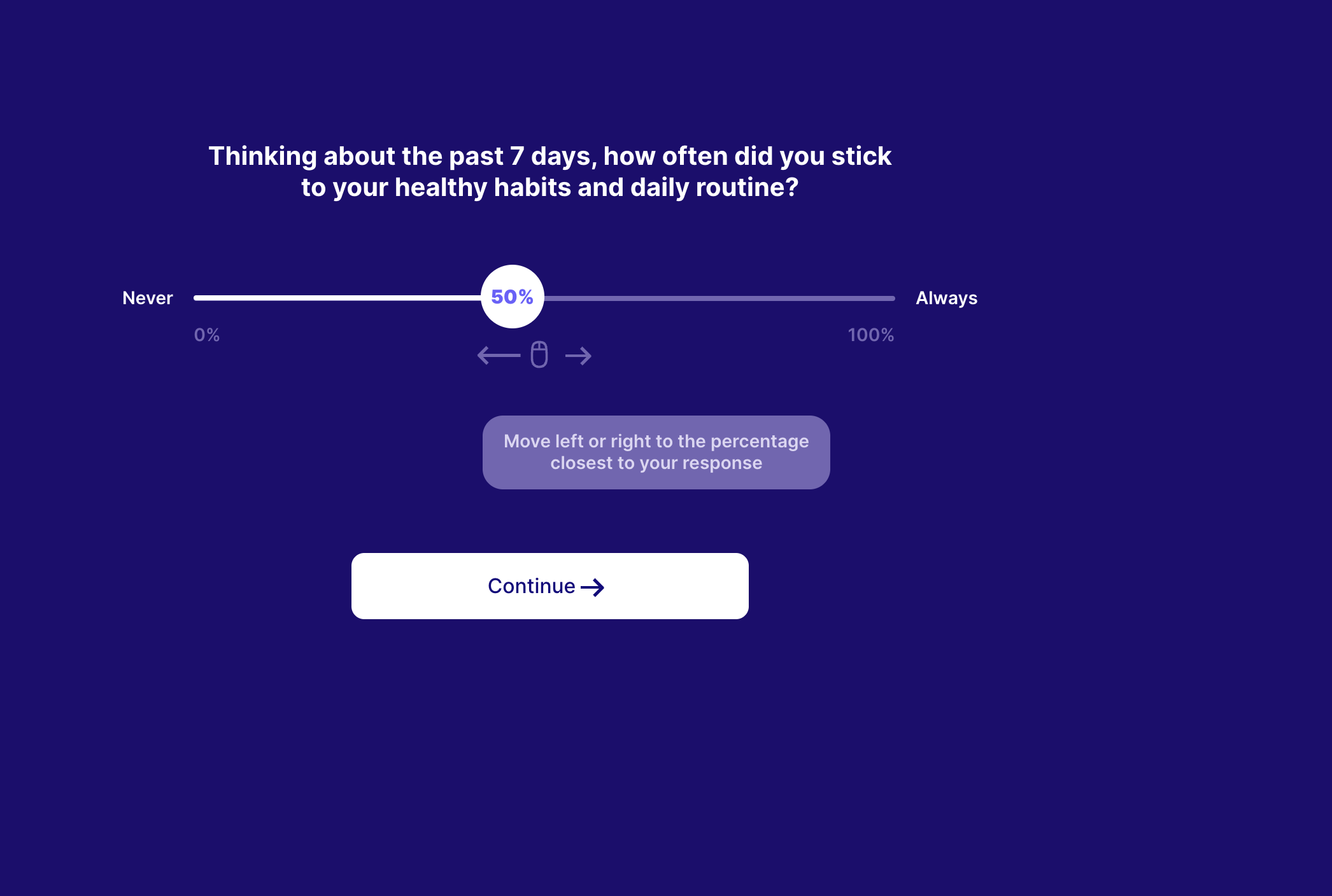
questionRangeSlider example
{
    "type": "questionRangeSlider",
    "stepId": "slider_3",
    "title": "Your 3-months goal:",
    "textColor": "#FFF",
    "backgroundColor": "#1D0D70",
    "ctaColor": "#130a7e",
    "ctaText": "Continue",
    "ctaBackgroundColor": "#fff",
    "slider": {
        "activeBackgroundColor": "#FFFFFF",
        "activeTextColor": "#6B61FF",
        "backgroundColor": "#7366B4",
        "iconsColor": "#7366B4",
        "maxScoreText": "Always",
        "minScoreText": "Never",
        "defaultValue": "80"
    },
    "subtitle": "Now let's think about what goal you want to achieve in 3 months, that is, by <span style='color:white;'><b><i>{{TODAY|day|+3}}</i></b></span>. Your goal shouldn't be overly ambitious: 100% Adherence is probably too much.",
    "paragraph": "Our recommendation is a goal of reaching <span style='color:white;'><b><i>80% Adherence By {{TODAY|day|+3}}.</i></b></span> But feel free to pick something else.",
    "useHTML": true,
    "key": "adherence_future"
}
| Key | Notes |
|---|---|
type | questionRangeSlider |
stepId | Unique step id |
title | The step title |
subtitle | The step subtitle |
slider | The styles needed for the slider "slider": { "activeBackgroundColor": "#FFFFFF", "activeTextColor": "#6B61FF", "backgroundColor": "#7366B4", "iconsColor": "#7366B4", "maxScoreText": "Always", "minScoreText": "Never" } These are the values of the slider in the screenshot above. |
hint | The hint text lets the user know that they can move the slider left & right. "hint": { "text": "Move left or right to the percentage closest to your response", "textColor": "#DCD6F3", "backgroundColor": "#7366B4", "hideAfter": 4000 }, The values are from the slider in the screenshot above. hideAfter keeps the hint box visible for 4 seconds and it then gradually disappears. |
key | That key is used to save the user’s answers to be used later on the checkout pages. The supported keys for that steps are: adherence_now, adherence_past, and adherence_future. > [!WARNING] These are the only supported keys for that step that can be used to show the user’s results on this checkout page. |
useHTML | This allows you to add inline HTML to the title, subtitle <span style='color:#FFA033;'>choose the amount</span> you pay. Here for example, this text will be in the color FFA033. In cases like that, you must set useHTML to true. |
backgroundColor | |
textColor | The main textColor on the page |
subtitleColor | The subtitle color. |
ctaText | The text of the main button |
ctaColor | The text color of the main button |
ctaBackgroundColor | The background color of the main button |